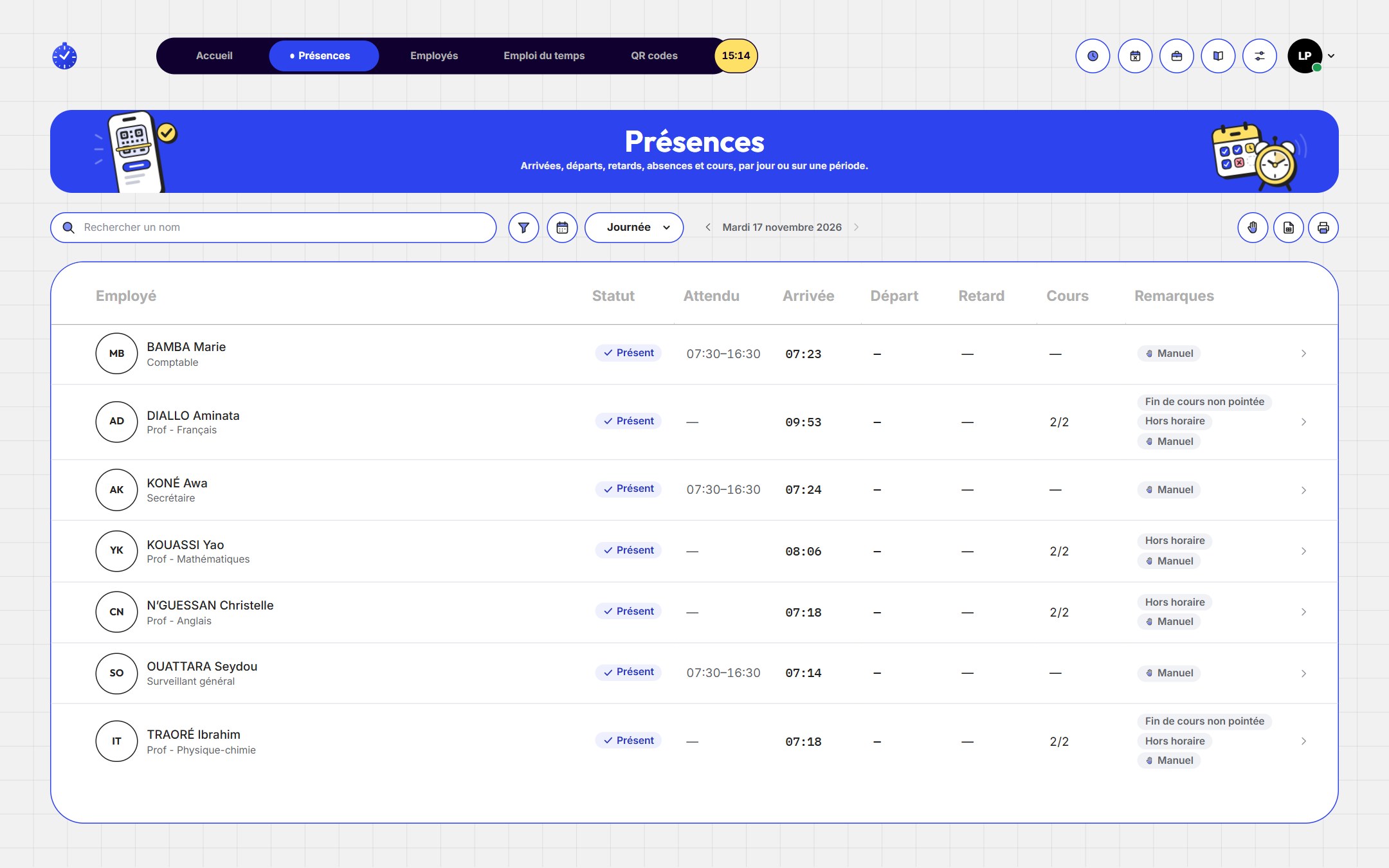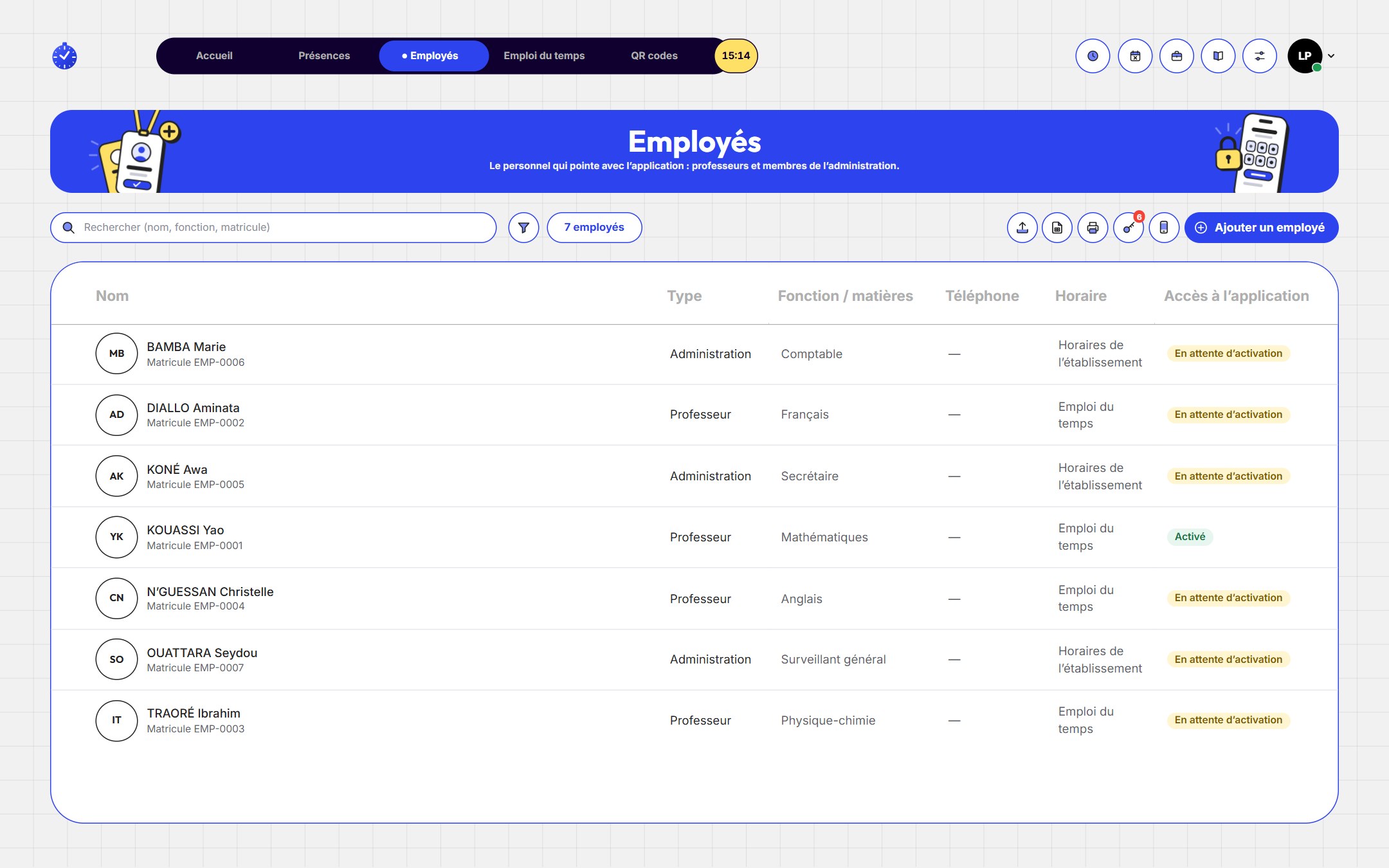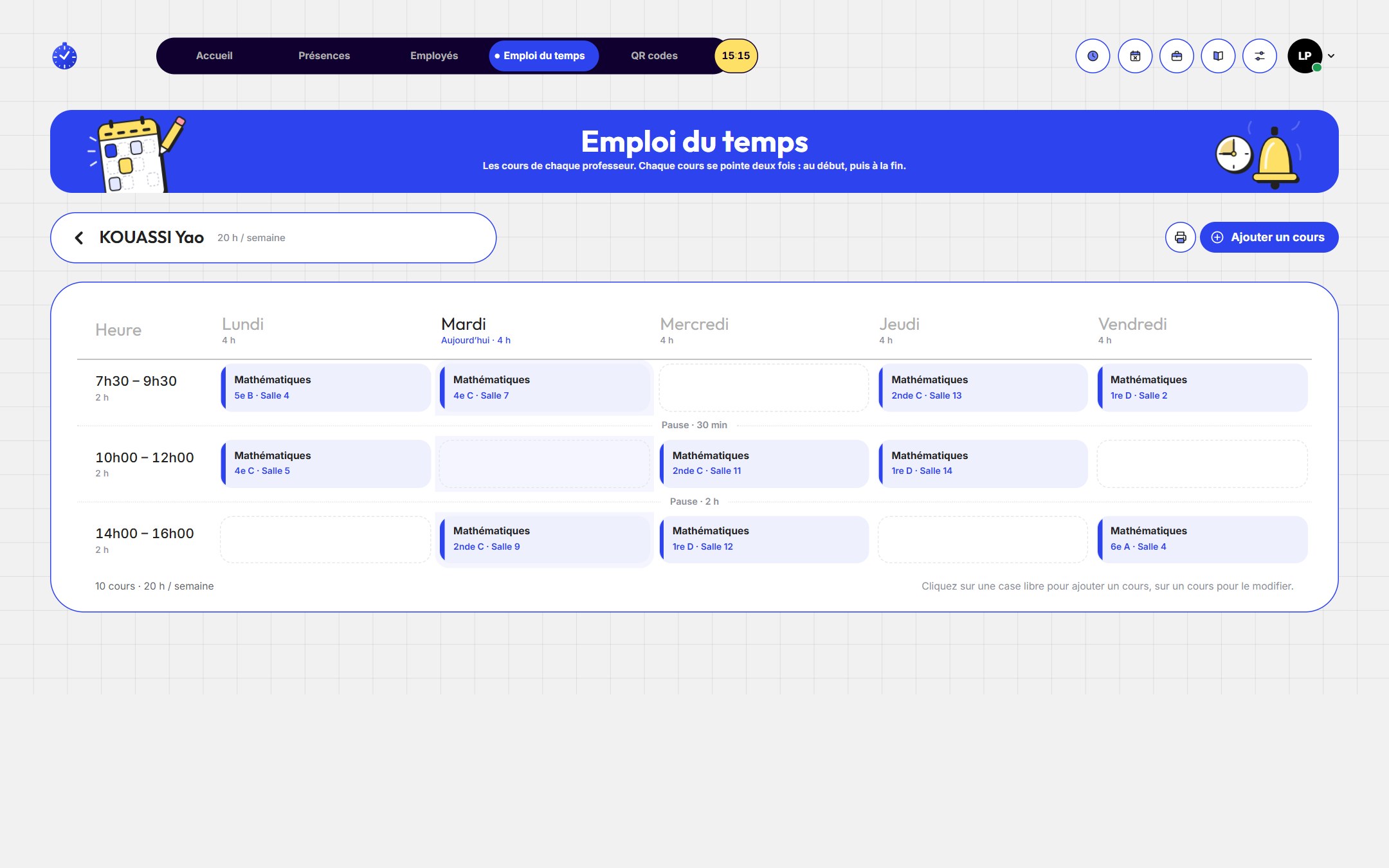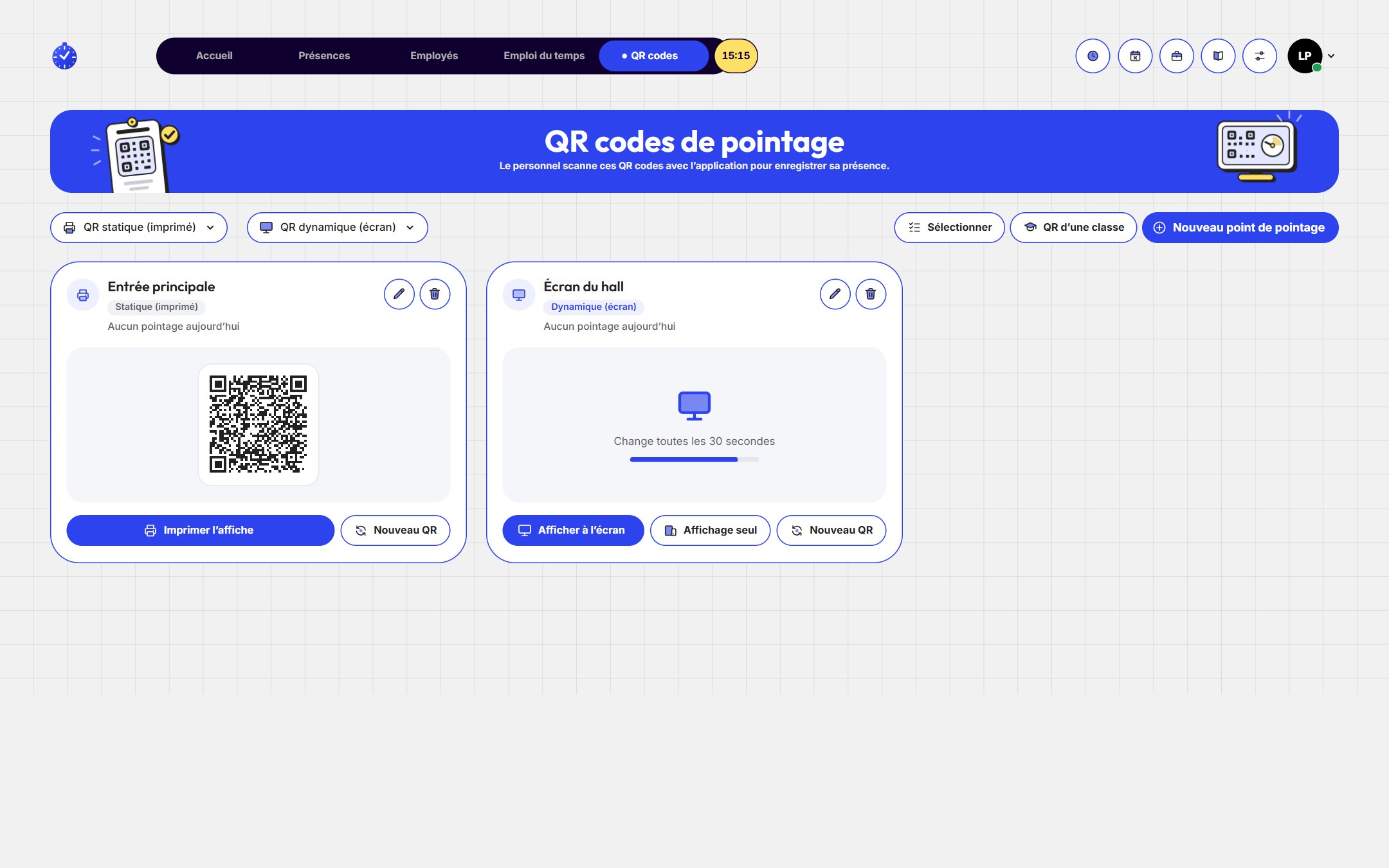
In many schools, staff attendance is still written on paper: lateness and missed classes are found out late, and reports take hours.
Software and mobile app
Ponctua
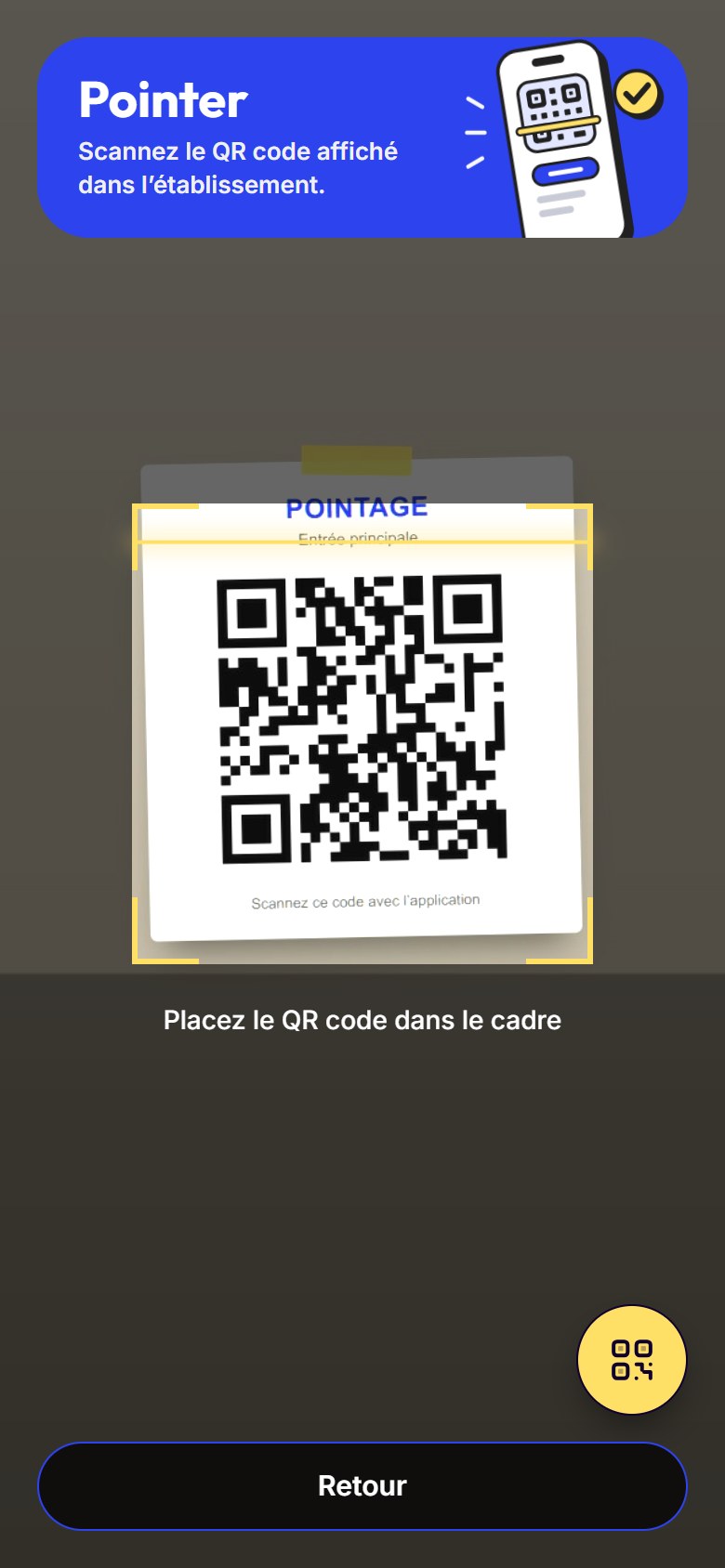
Ponctua is One Technologie’s software for tracking staff attendance in schools in Côte d’Ivoire. Staff check in by scanning a QR code; management sees arrivals, lateness and missed classes live.
- One Technologie project
- 2026
- 17 tools
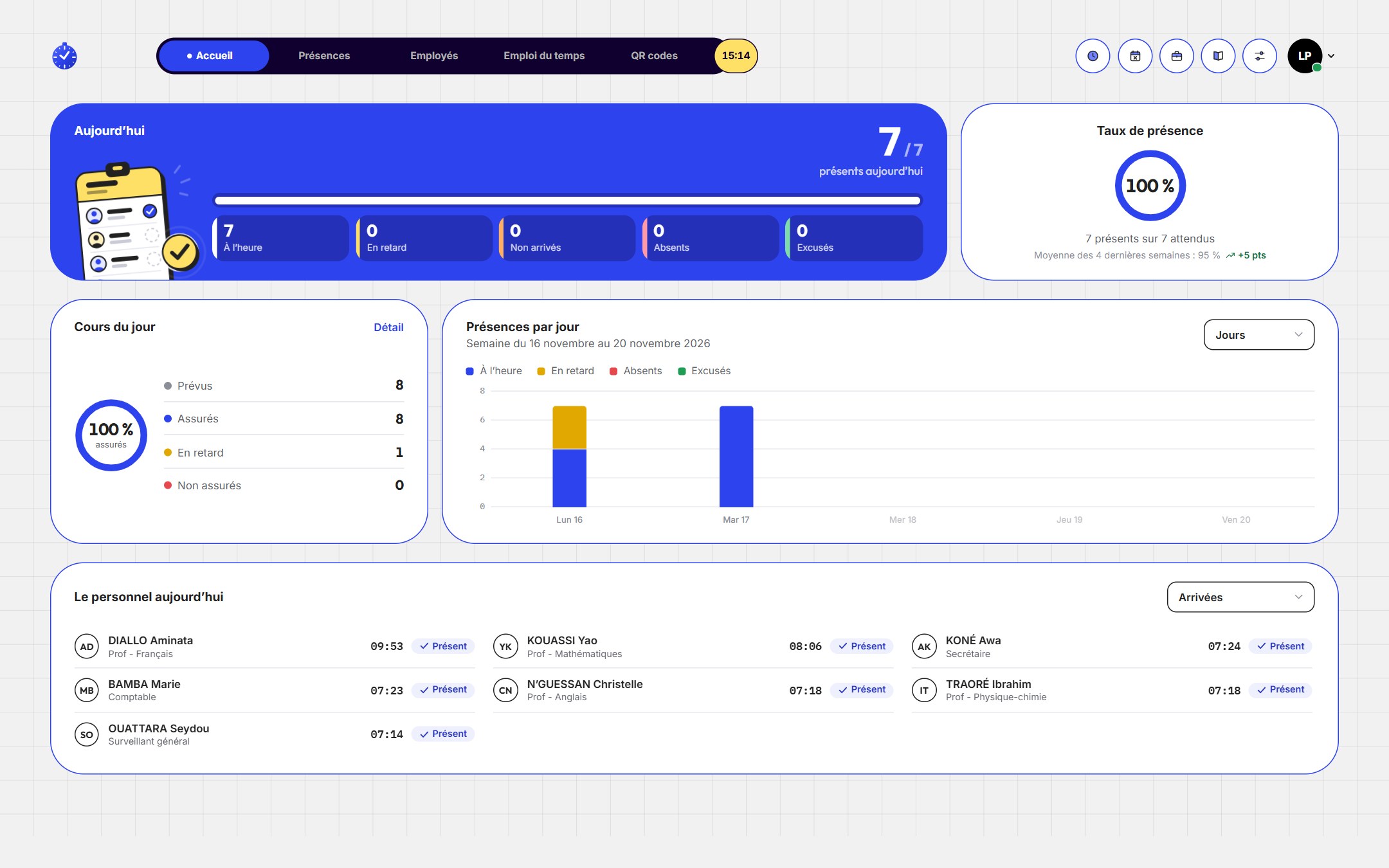
Software for management and a phone app: staff check in by scanning a QR code, management follows everything live, even offline.
What it does
What Ponctua does
- QR code check-in, with the phone’s location
- Teachers’ timetable: start and end of each class
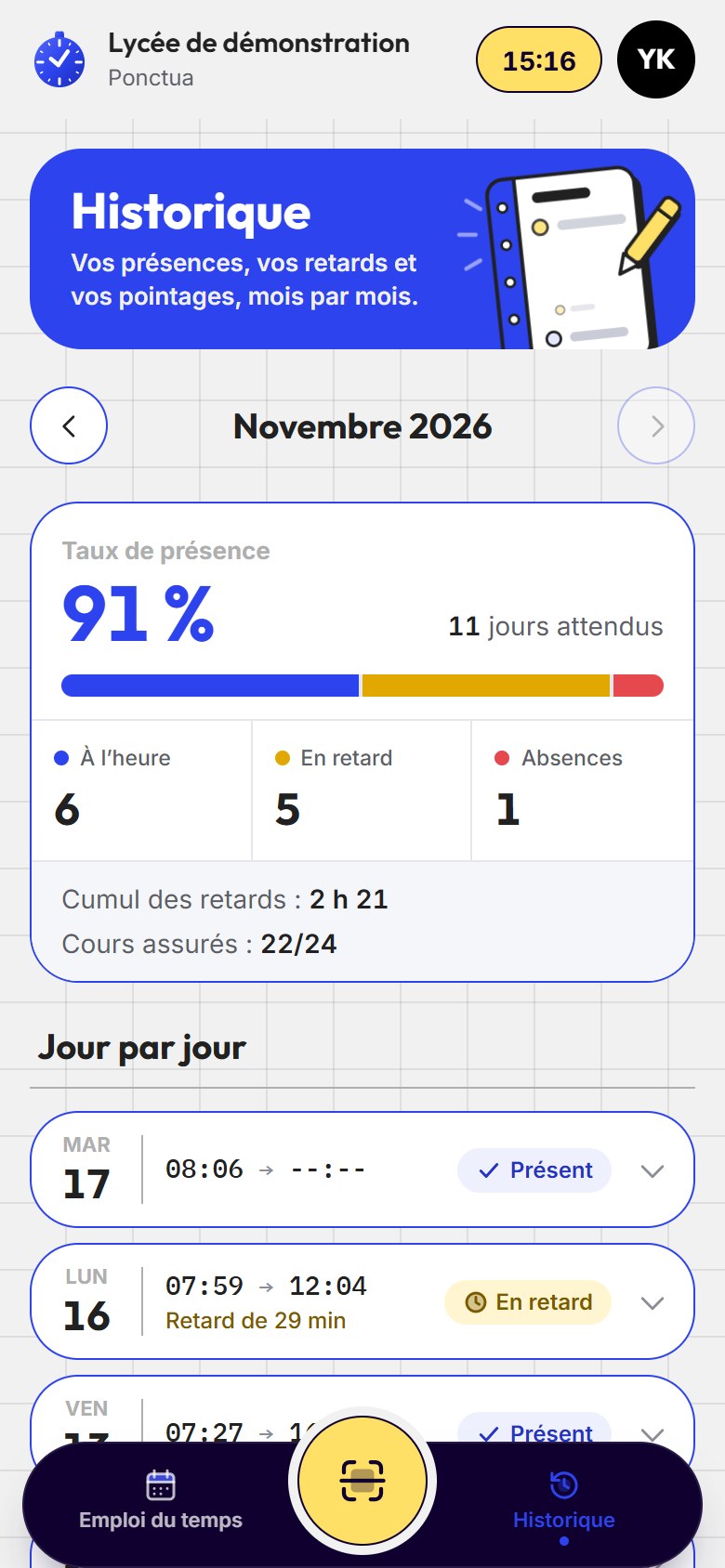
- Attendance, lateness and missed classes, live
- Leave, permissions and school closures
- Printed sheets and Excel export
- Works even without an internet connection
- In French and English, light or dark theme
- Automatic backups, on the computer and online
Made by One Technologie
What we created
The Windows software
Installed on the management’s computer, it updates itself and works offline.
The phone app
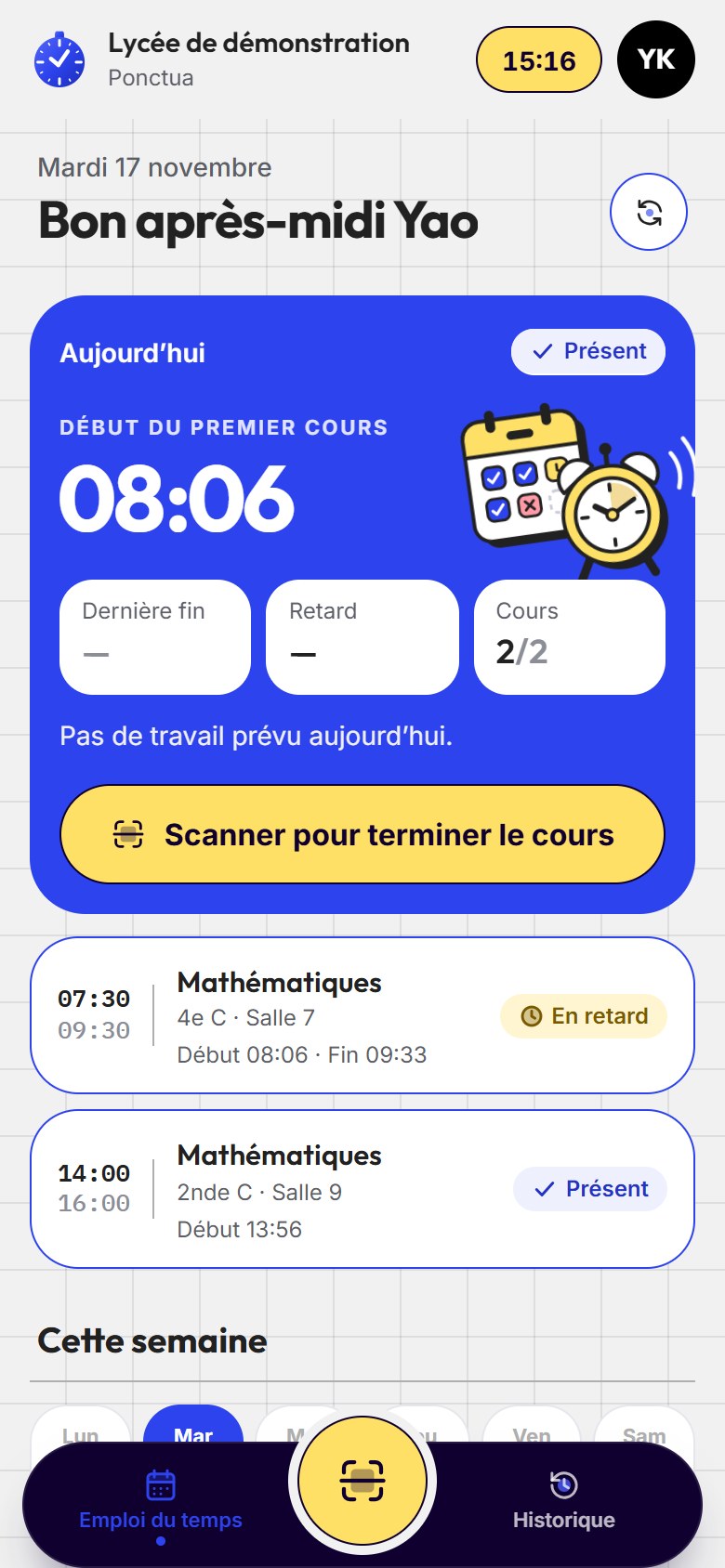
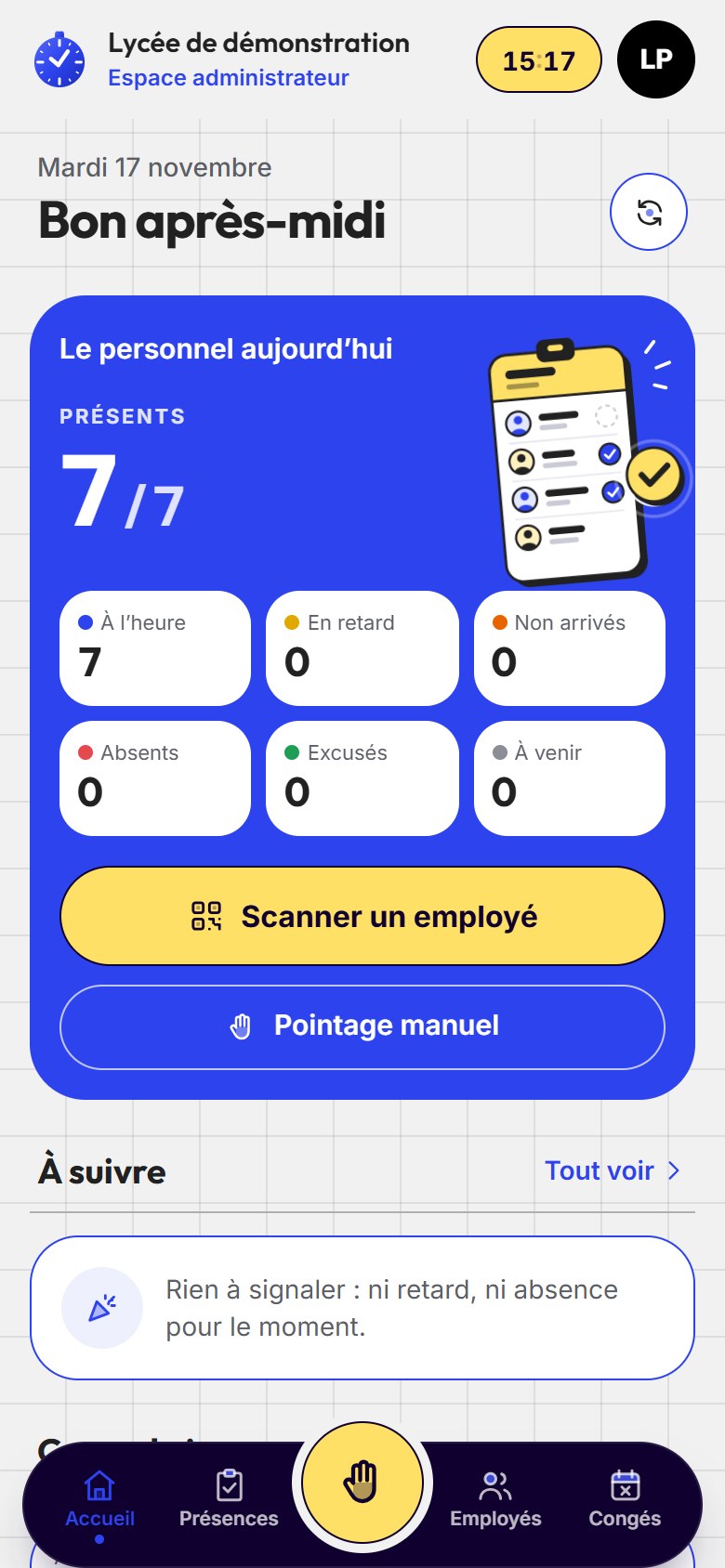
Staff check in and see their history; management follows the day.
The check-in QR codes
Printed and put up, or shown on a screen at the entrance and renewed continuously.
The identity and icons
The name, the colours, 109 icons and animated illustrations drawn for the software.
Tools
The tools we used
The design software and languages used to build this project.
Click a tool to see what it was used for on this project.
Photoshop
Why this tool
To retouch and prepare the software’s visuals.
On this project
The Ponctua images and presentation visuals.
Illustrator
Why this tool
To draw the identity in vector, sharp at every size.
On this project
The Ponctua logo and parts of its visual identity.
After Effects
Why this tool
To bring the software’s presentation to life.
On this project
Animations to present Ponctua.
Figma
Why this tool
To design the screens and approve them together before coding them.
On this project
The mock-ups of the software screens: sign-in, sign-up, home, attendance, staff, timetable, QR codes.
Claude
Why this tool
To save time on research and writing; the team keeps control of every decision.
On this project
Research, proofreading the app’s texts and help translating them into English.
JavaScript
Why this tool
It is the language of the web: it runs the screens in the browser and on phones.
On this project
Running the screens of the software and the app.
TypeScript
Why this tool
For reliable software: errors are caught before the program even runs.
On this project
All of the Ponctua code: the server, the management software and the phone app.
React
Why this tool
To build screens from reusable pieces that update themselves.
On this project
The screens of the management software and the staff app.
Node.js
Why this tool
For a fast server, able to answer many schools at once.
On this project
The Ponctua server, which receives check-ins and works out attendance.
Vite
Why this tool
To see every change instantly while working, and deliver a lightweight app.
On this project
Building the software and the app before each release.
Tailwind CSS
Why this tool
For a consistent design across every screen, with a single palette of colours and sizes.
On this project
The styling of the management software.
PostgreSQL
Why this tool
For a solid database that never loses data.
On this project
The Ponctua database: staff, timetables, check-ins, leave; backed up every night.
Tauri
Why this tool
For real Windows software, lightweight and able to work offline.
On this project
The Ponctua Windows software, its installer and its automatic updates.
Docker
Why this tool
For a simple, safe release, identical on the computer and on the server.
On this project
Running the Ponctua server, its database and its secure connection online.
Python
Why this tool
To automate repetitive tasks.
On this project
The tools that generate the software’s 109 icons and the installer images.
Git
Why this tool
To keep the history of every change and go back if needed.
On this project
Tracking every version of Ponctua.
GitHub
Why this tool
To keep the code safe and check every change automatically.
On this project
The Ponctua code, the automatic checks and publishing the software updates.
In pictures
Ponctua, screen by screen